

Features / Invoices & Quotes
Quote it. Invoice it. Get paid.
Write a quote or invoice, email it to your customer, and see who's paid. GST is worked out on each line, and your books update as you go.
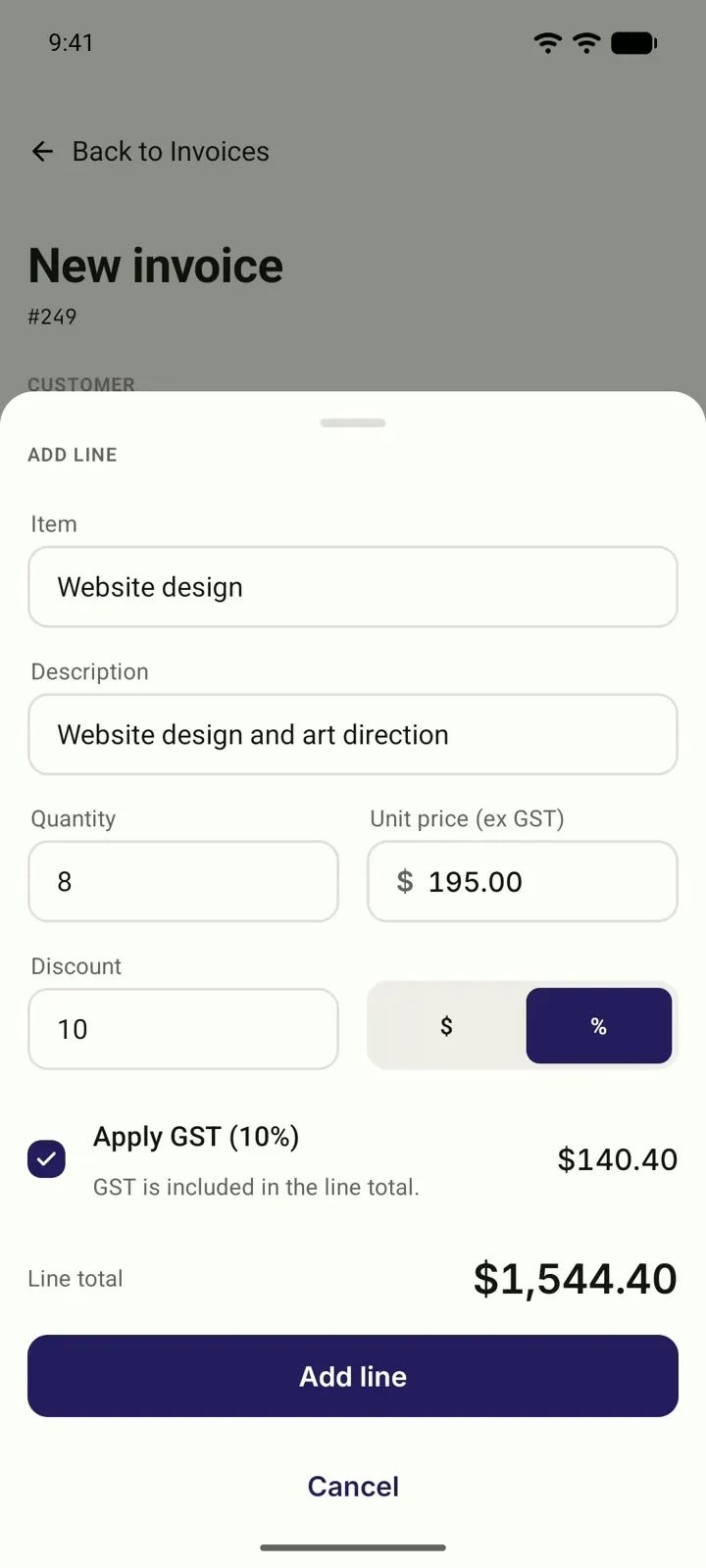
The invoice shouldn't wait for Sunday night.
The job's done. But the invoice waits until you're back at your desk, or until the weekend. The longer it waits, the longer you wait to be paid.
From job to paid in three steps.
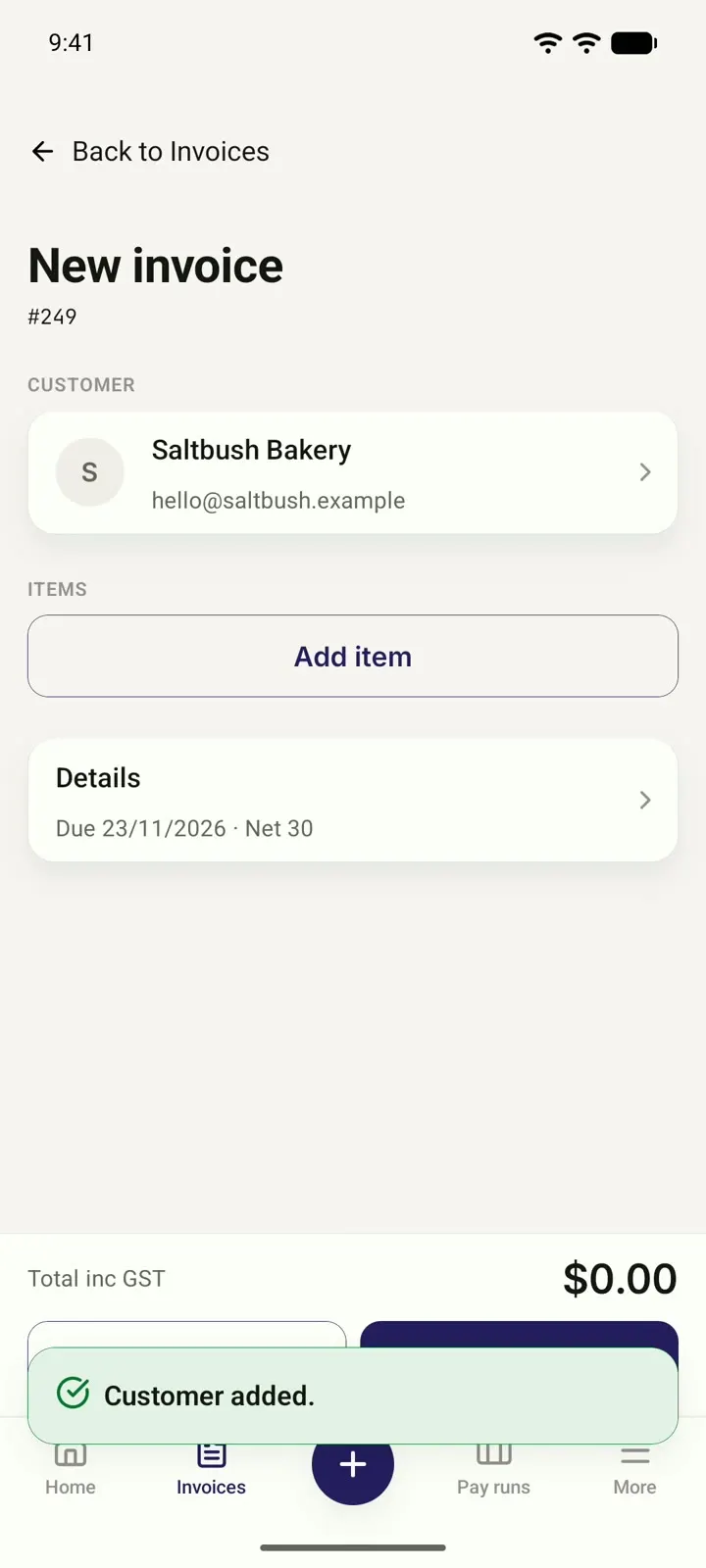
Add your customer and what you did.
New customer? Add them as you write. Pick from your items or type a new line.
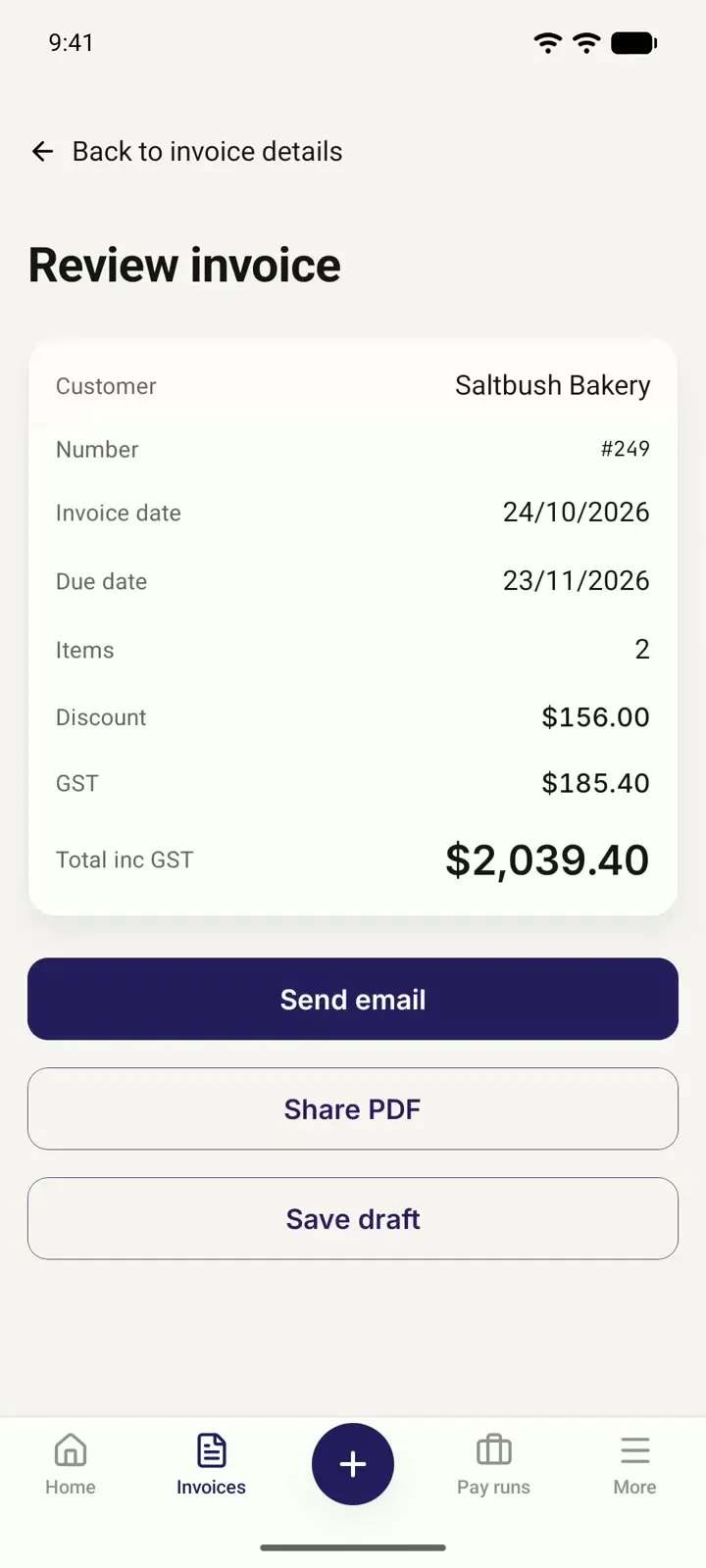
Check it over, then email it.
See the discount, GST and total before it goes. Then send it straight to your customer.
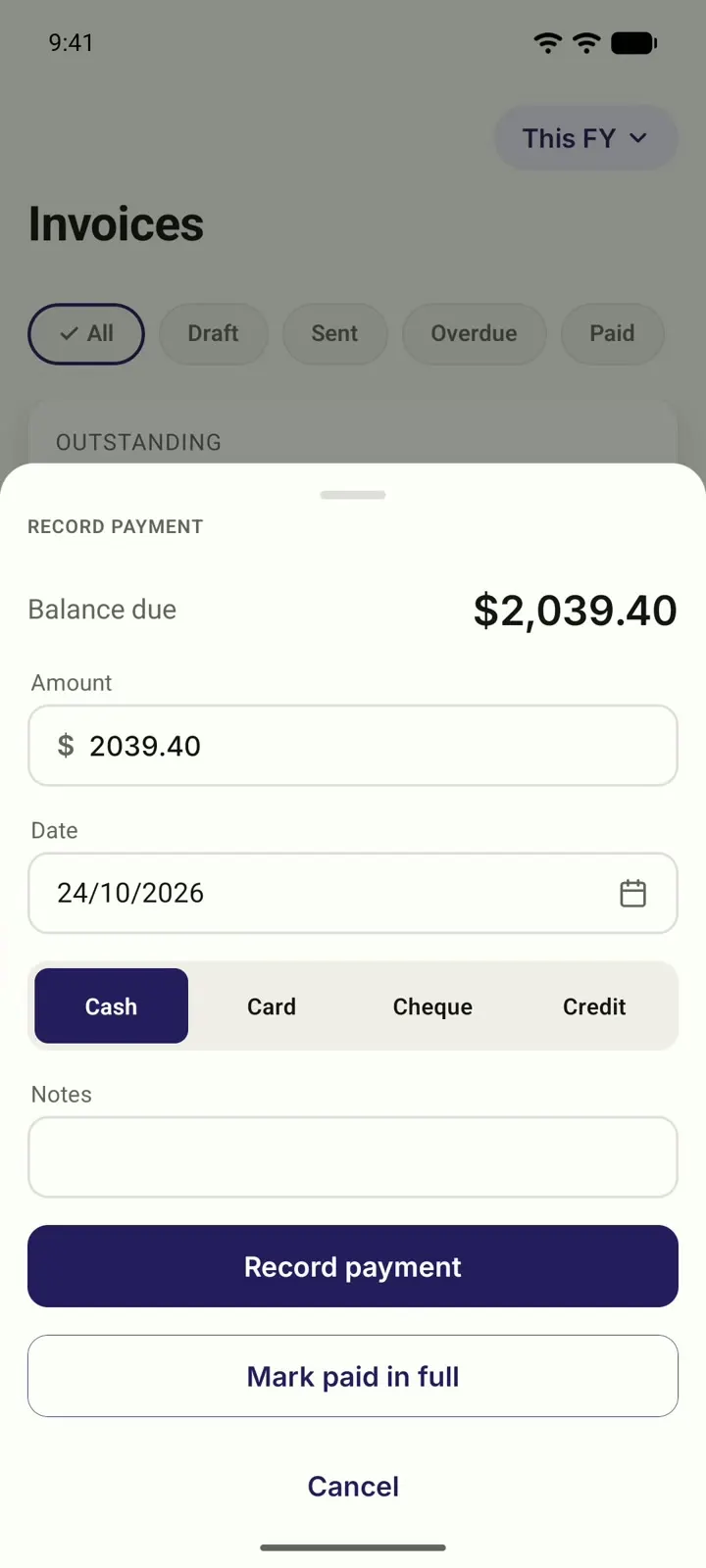
Record the payment when it arrives.
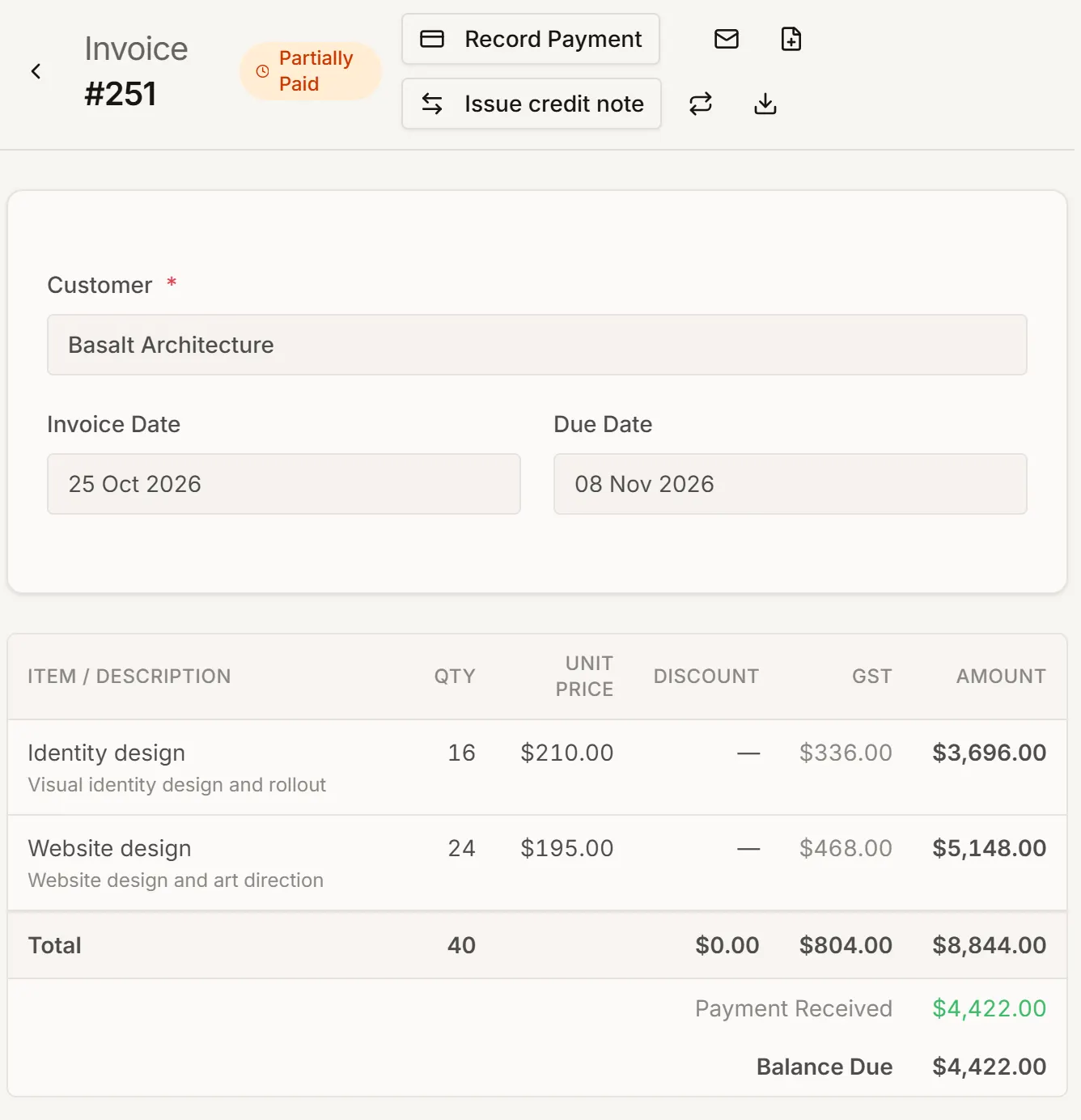
Mark it paid in full or in part. The invoice shows what's still owing.
Quotes and invoices, start to finish.
-
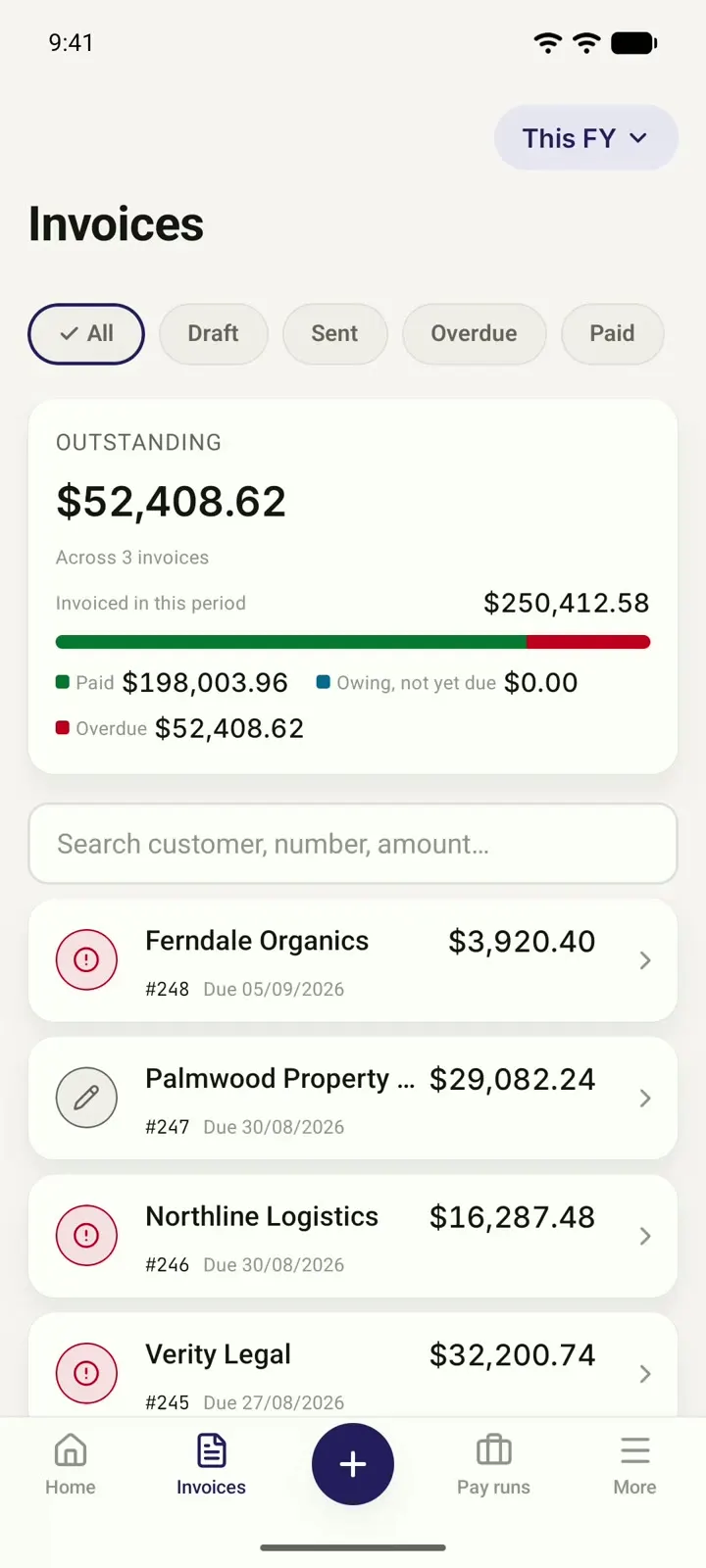
See what you've sent and what's still owed.
-
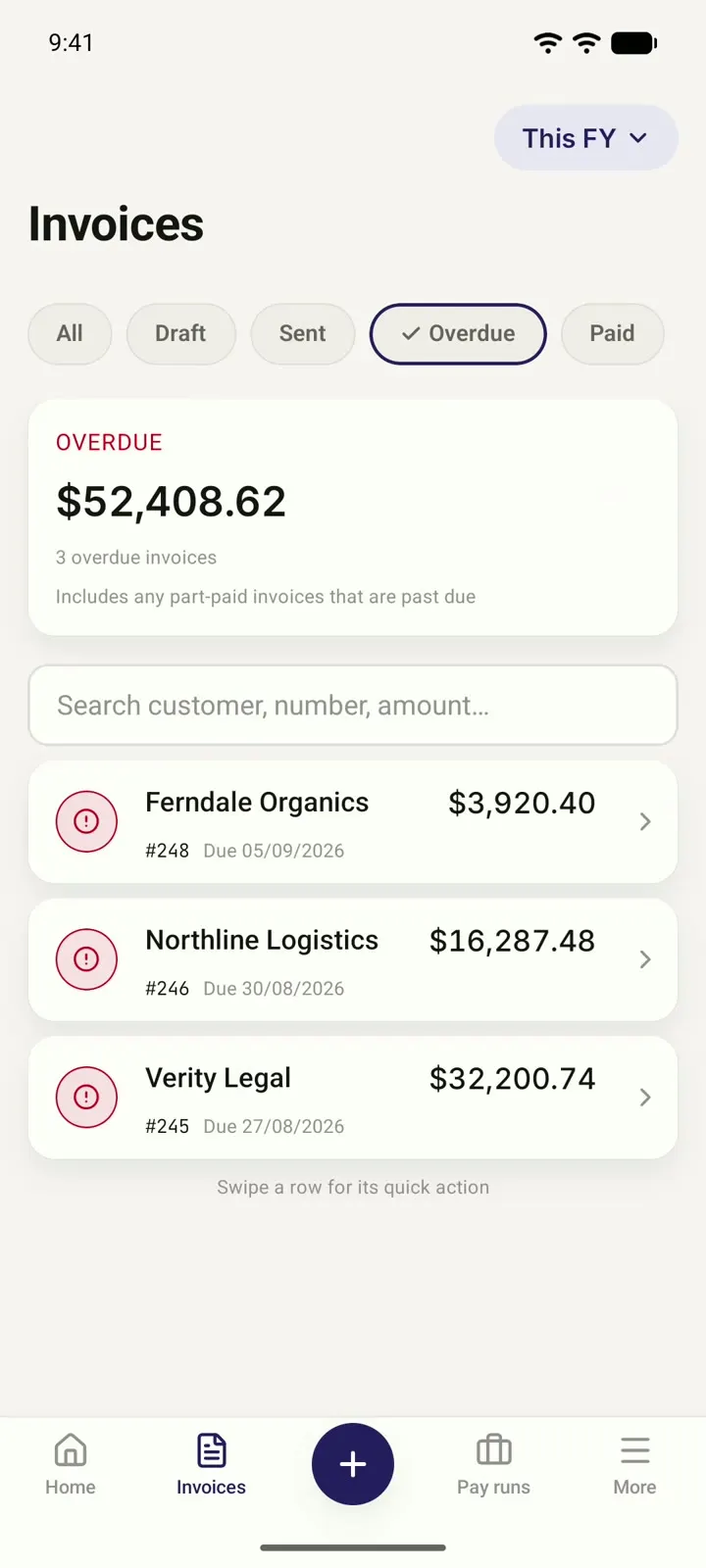
Filter by Overdue or Paid, and you know who to chase.
-
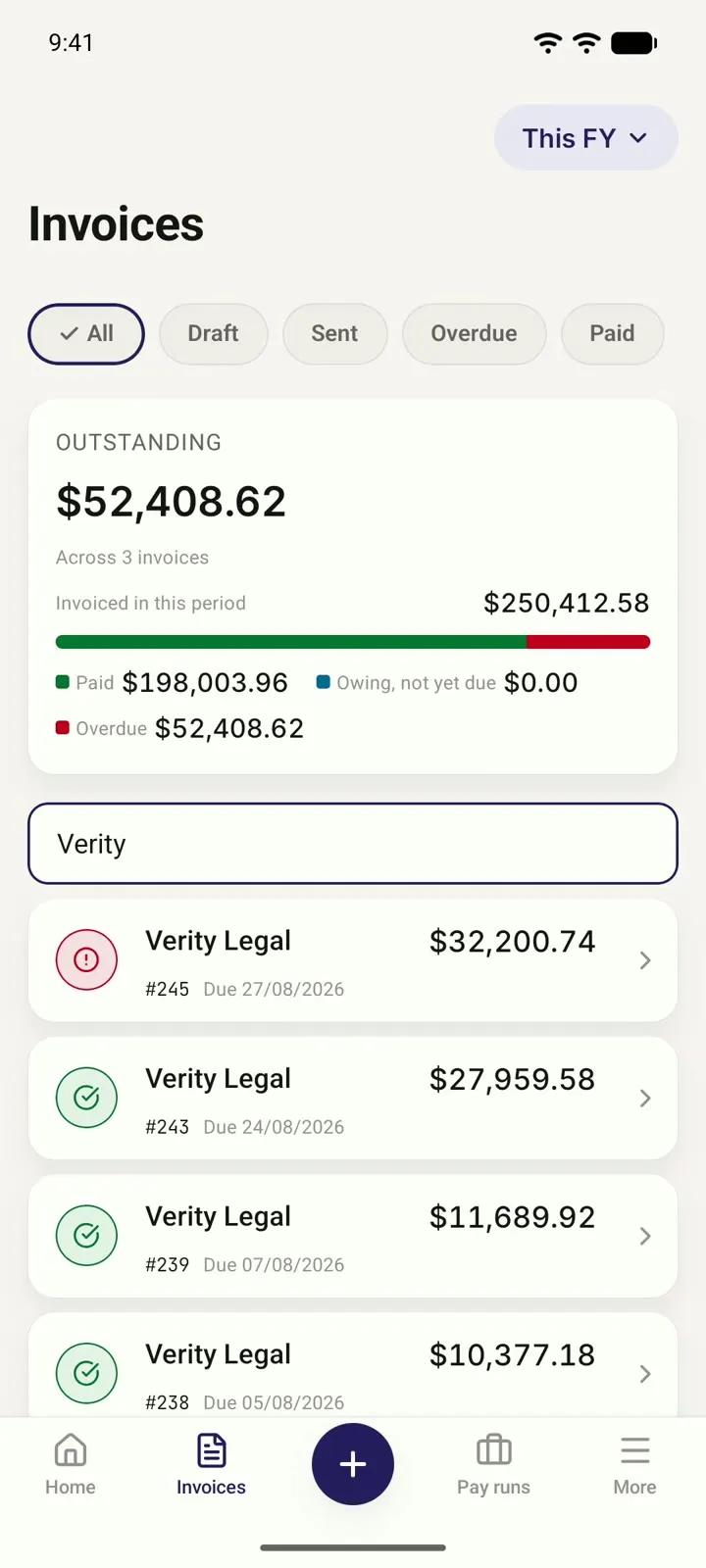
Search by customer name.
-
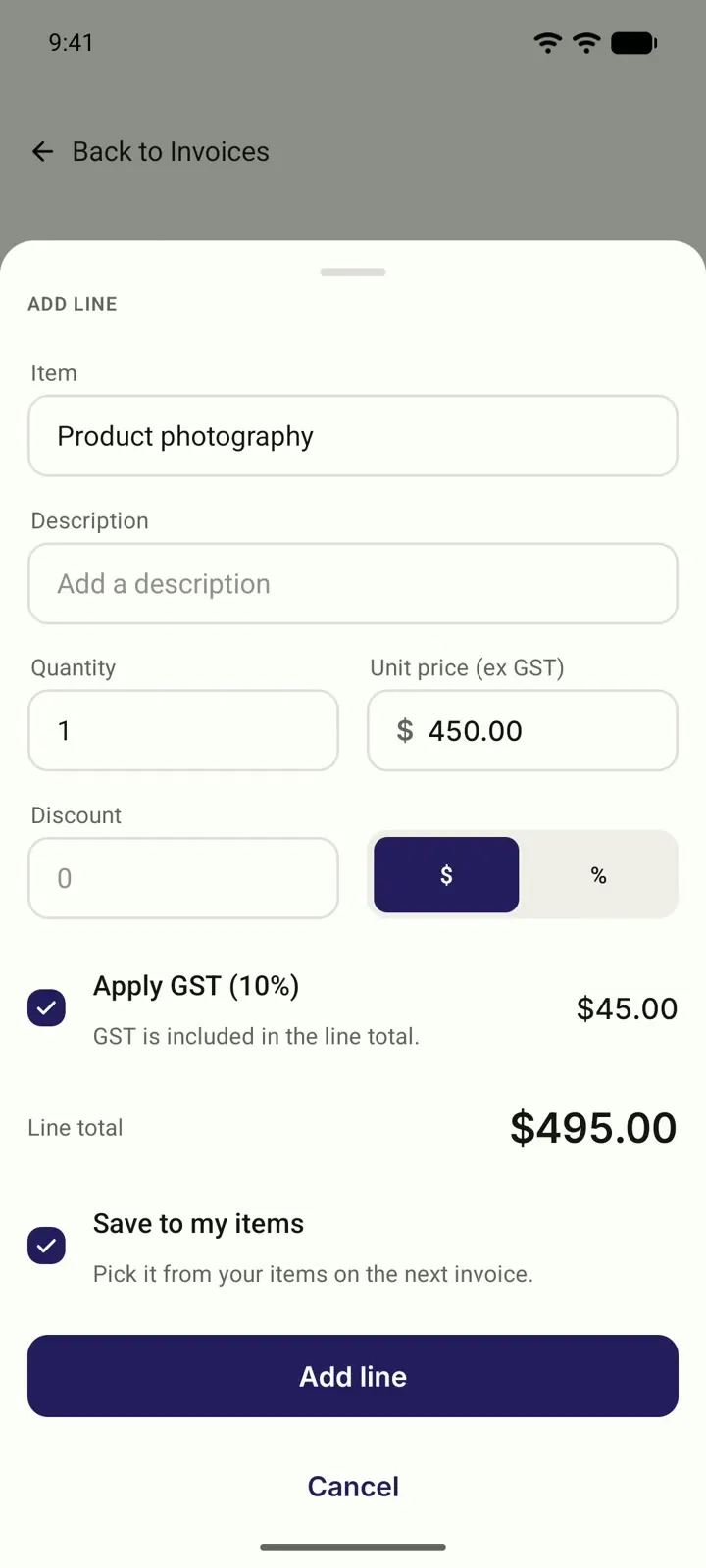
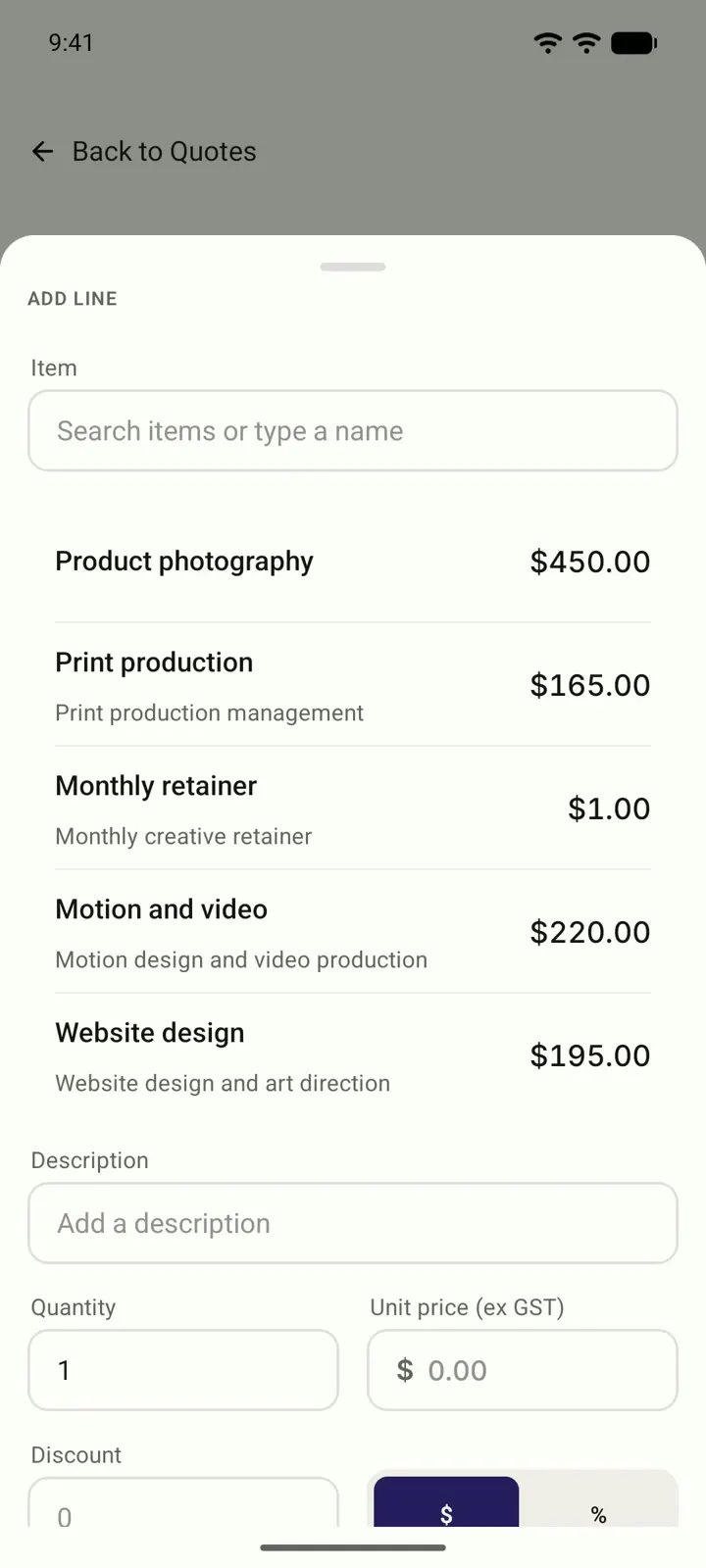
Pick an item, set the quantity, take 10% off. GST is worked out for you.
-
Type a new line once, and save it to your items.
-
Everything you've saved is ready for your next quote.
-
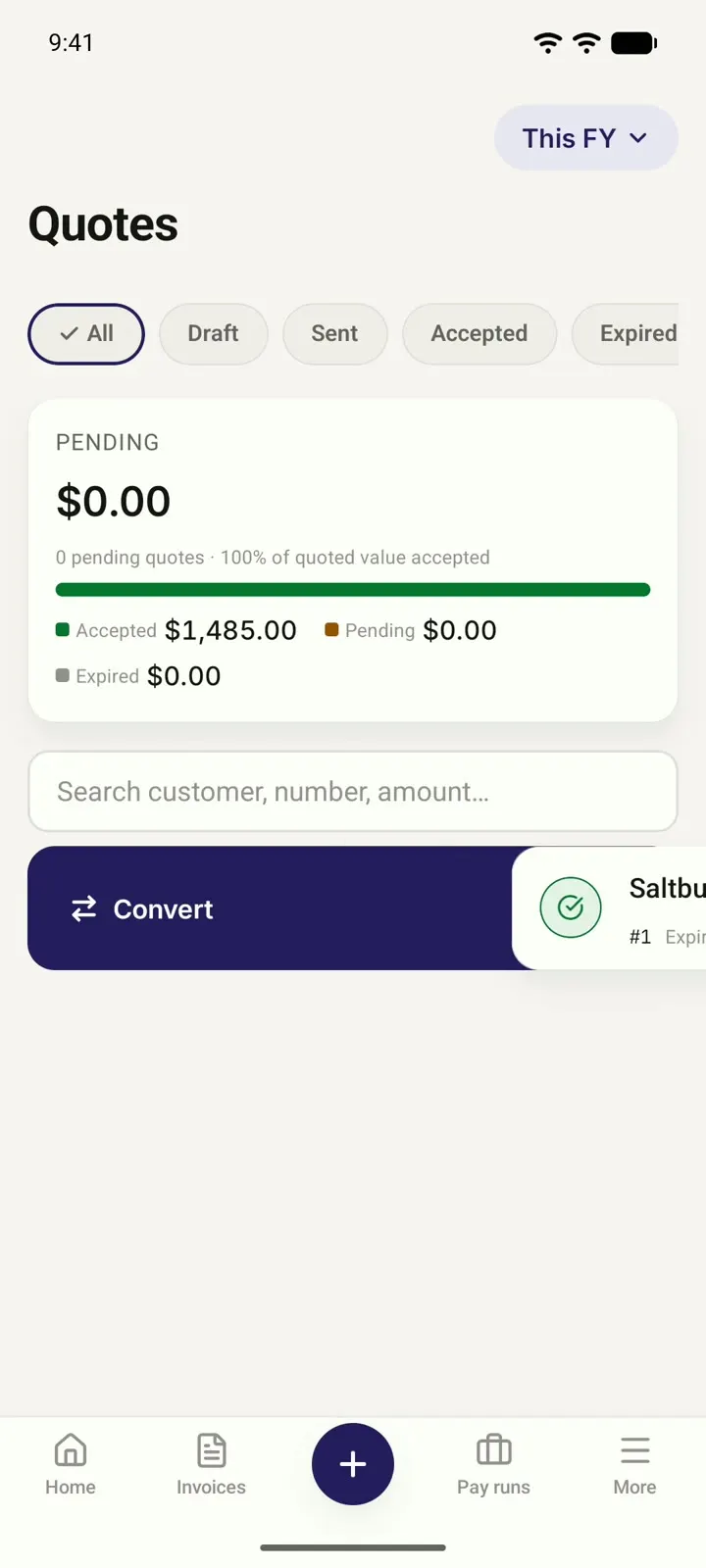
Turn an accepted quote into an invoice. The line items carry across.
-
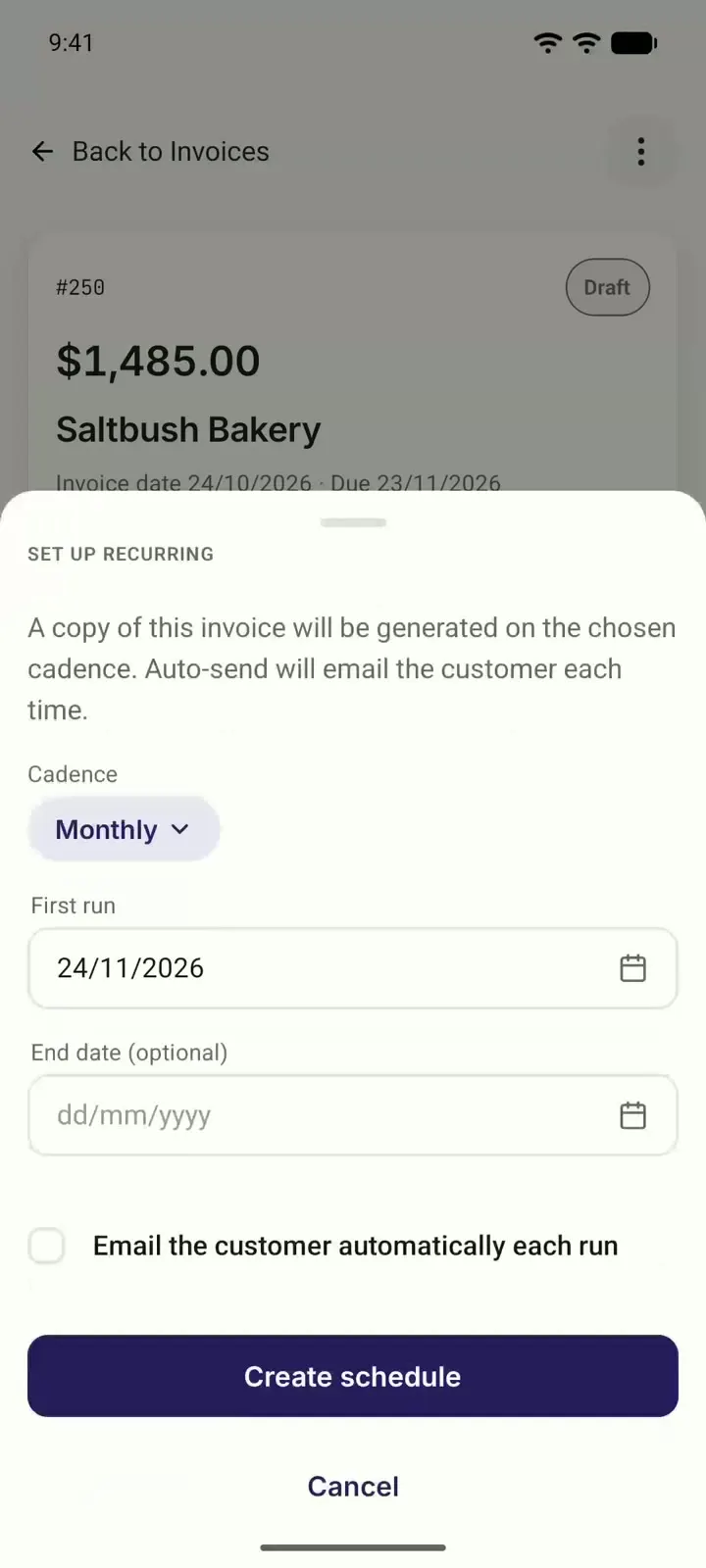
Set an invoice to repeat every month. Choose whether each one is emailed for you.
See what you've sent and what's still owed.
Get paid, and know when you have been.
-
Let customers pay online
Connect Stripe or Square and choose it on the invoice. The email and the PDF then carry a Pay now link your customer can pay from.
-
Your bank feed suggests the invoice
When a customer's payment lands in your bank feed, Myaccountant suggests the invoice it belongs to. Confirm it in one click.
-
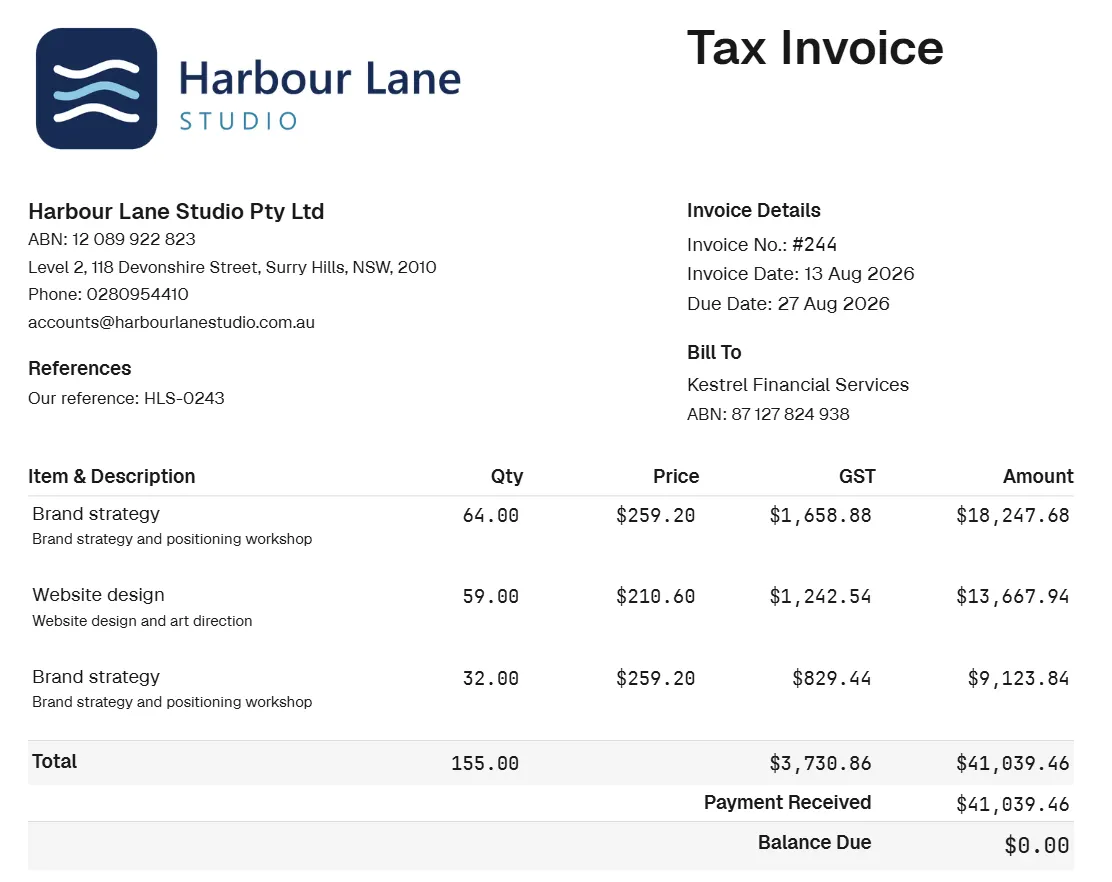
Your invoice PDF shows your logo, your ABN, and the GST on every line that has it. Download it or share it.
-
Record each payment as it comes in. The invoice shows Partially paid and what's left to pay.
-
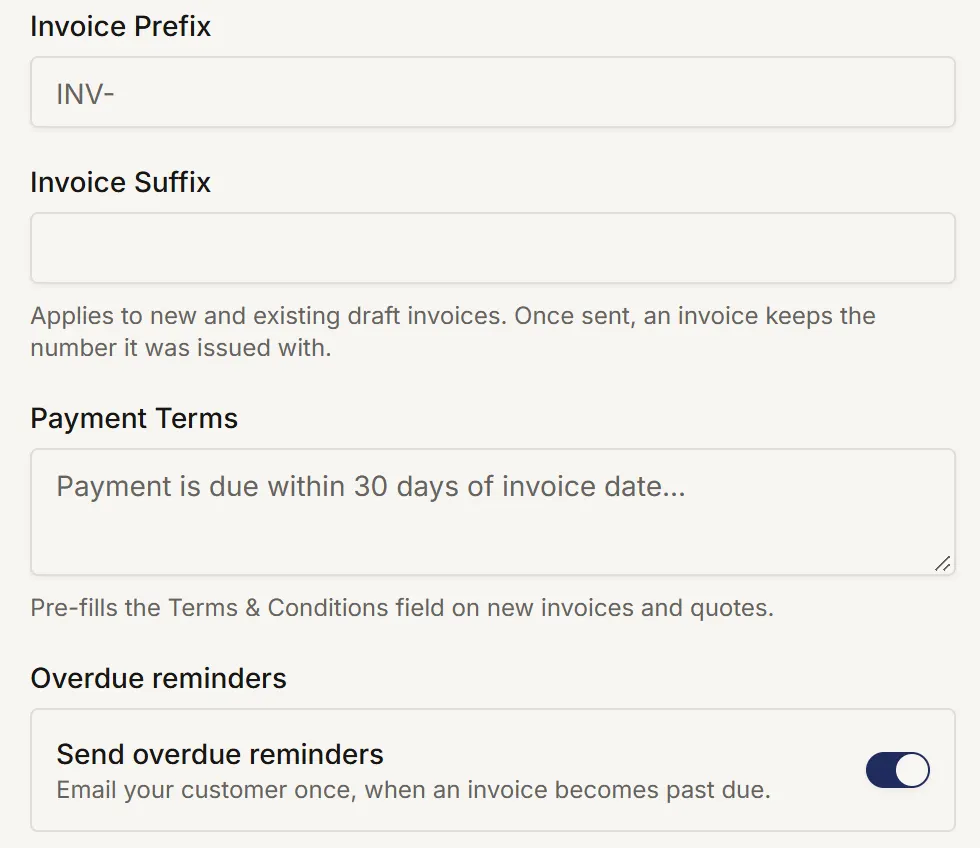
Turn on overdue reminders, and your customer gets one reminder email after an unpaid invoice passes its due date.
Your invoice PDF shows your logo, your ABN, and the GST on every line that has it. Download it or share it.
What else comes with it.
-
Credit notes
Issue a credit note against an invoice.
-
Copy an invoice
Start a new draft from one you've already sent.
-
Your numbers, your terms
Set your own invoice prefix and default payment terms.
-
Overview
See what you've invoiced against what's been paid, and your top-selling items.
-
Your customer list
Keep every customer's details in one place.
-
Your items list
Save the things you sell, with their prices, ready for the next job.
-
Straight into your books
Invoices, payments and credit notes go into your books, with GST worked out on each line.
The reports that come with it.
-
Aged Receivables
Who owes you, and how long it's been.
-
Invoice & Quote Activity
Your invoices and quotes over a date range, filtered by status.
-
Customer Statement
One customer's invoices, payments and balance in one statement, as a PDF you can send.
Questions people ask.
Does the invoicing software work out GST?
Yes. It works out GST on each line at the rate set up for your business, and you can untick GST on any line.
Can I turn a quote into an invoice?
Yes. Mark the quote as accepted, then convert it. The line items carry across, so there's nothing to type again.
Can customers pay invoices online?
Yes. Connect Stripe or Square, and your invoices can carry a Pay now link.
Does it match payments to invoices automatically?
It suggests the matching invoice when a payment lands in your bank feed. You check it and confirm it in one click.
Can I set up recurring invoices?
Yes, for example every month. You choose whether each one is emailed to your customer for you.
Can I record part payments?
Yes. Record each payment as it comes in. The invoice shows Partially paid and the balance still owing.
Does it send invoice reminders?
If you turn reminders on, your customer gets one reminder email after an unpaid invoice passes its due date.
Can I put my logo on invoices?
Yes. Add your logo and ABN once in your settings, and they appear on every PDF.
Is there a free plan?
Yes. Every module has a free tier, with its limits shown on the pricing page, and you don't need payment details to start.
Understand the rest of the picture.
Every feature follows the same principle: show what matters, keep the detail available, and make the next step clear. Browse the full Features library to see how the product fits together.